

Email and Contacts Protection
Widget
This Widget protects email addresses (displayed on your website), other contacts (phone numbers, messengers, social medias, etc.) and any links from detection and grabbing by bots, spammers and screen readers. It allows you to display email addresses according to your custom preferences. Control fonts, choose font sizes and font colors – feel free to customize the Widget as you wish.
When using the Widget there will be no email addresses in the source code of your webpages, because the Widget converts the email address into a clickable image that opens the email client (for example “Outlook Express”, “The Bat!” etc.) when clicked (also you can copy/paste the protected email address). And you can hide the email address from screen readers: in this case the clickable text link will be displayed instead of the email address itself. So email addresses (as well as other contacts and any links) will be completely protected from detection and grabbing by bots, spammers and screen readers.

Do you have a website on WordPress or Wix?
Please view our ContactProtect WordPress Plugin or ContactProtect Wix App similar to this Widget! It is developed specially for websites built on WordPress or Wix.
Why You Should Use This App
There are a lot of reasons for this!
Get the Widget now and start protecting email addresses and other contacts on your website within minutes!
How It Works
Everything you need to start using the Widget is just a few clicks!
See The Demo Website
We created the Demo website so that you could see how it works before you buy the Widget.
Screenshots
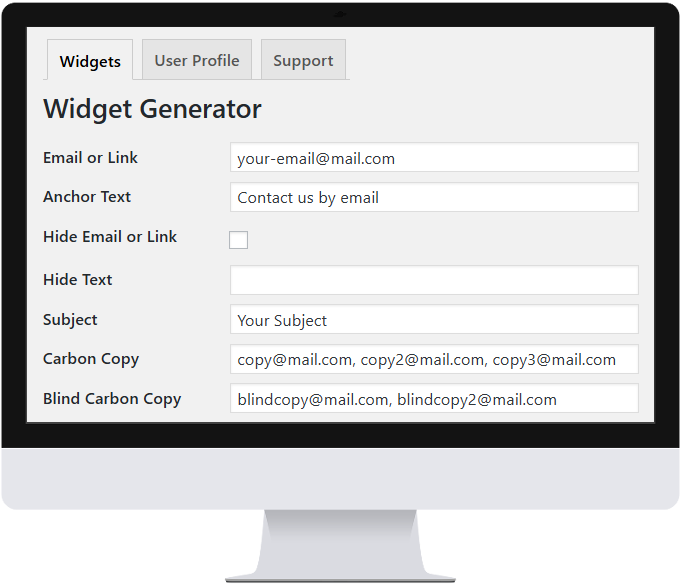
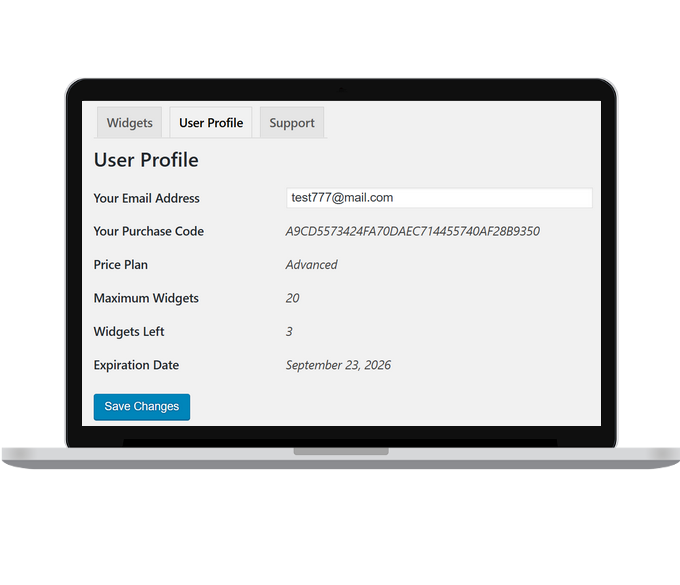
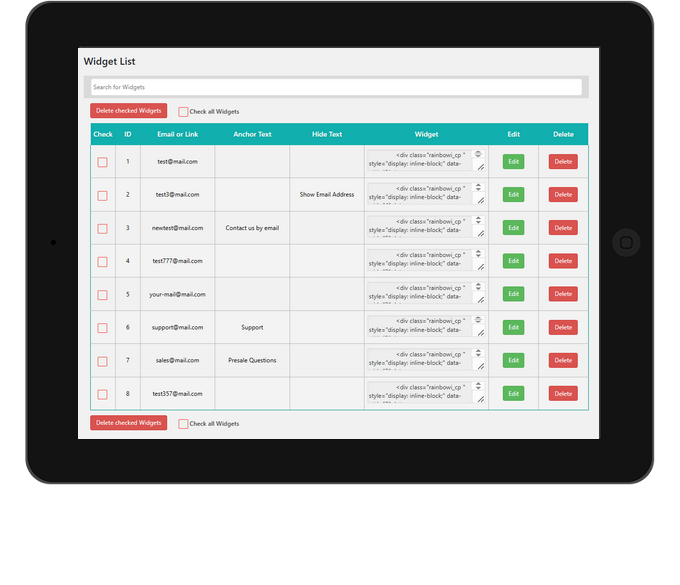
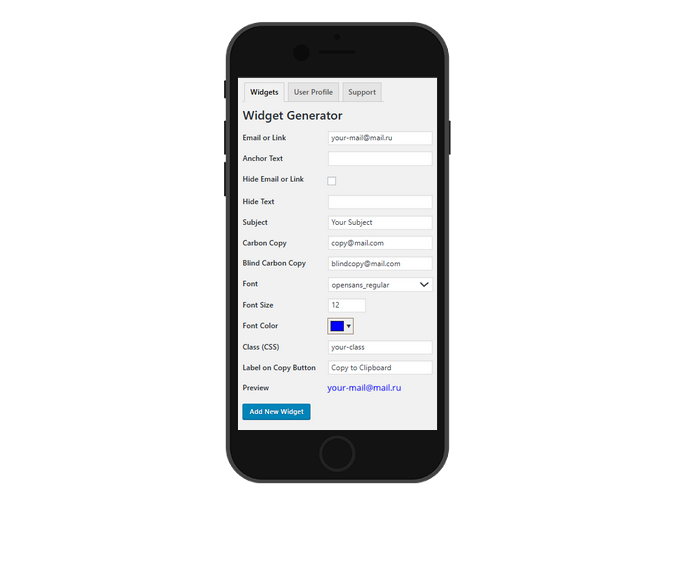
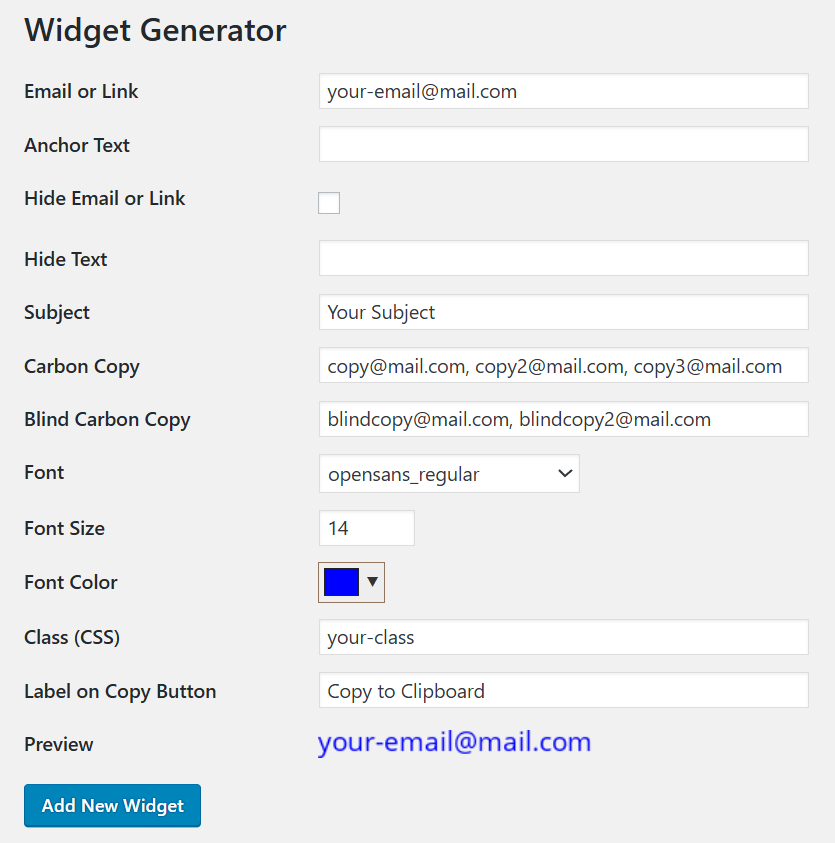
If there is still ambiguity, please take a look at screenshots of the Widget.
Main Features
The Widget includes many useful features that help you automatically protect email addresses (as well as other contacts and any links) on your website
Stop wasting time! Start saving your time with ContactProtect Widget!
Do you still have any doubts?
Please watch the Promotional Video
Frequently Asked Questions
Here you will find answers to the questions asked by our customers
Which CMS and website builders does the Widget work on?
The Widget can be used on any website that allows you to insert HTML code into webpages. It is compatible with popular CMS and website builders:
WordPress, 1C-Bitrix, Wix, Volusion, uCoz, Tilda Publishing, Squarespace, PrestaShop, Google Sites, OpenCart, Joomla, Drupal, Ecwid, DLE, Flexbe, Craftum, TapLink, uKit, Nethouse, Tobiz, Mottor, Webnode, Diapo, Vigbo, Site123, Mozello, Weblium, Fo.ru, Ucraft, Sitebox, Wfolio, Restik, REG.Site, Durable, LPgenerator, Borstch, Webflow, MODx, Megagroup CMS, ocStore, CS-Cart, BigCommerce, Big Cartel, 3dCart, Amiro.CMS, DIAFAN.CMS, Django CMS, Evolution CMS, HostCMS, InSales, Moguta.CMS, NetCat, Reg.Ru Website Builder, Shop-Script, UMI.CMS, Simpla, OctoberCMS, Magento, SiteEdit, OkayCMS, StoreLand, TYPO3 CMS, Webasyst, VamShop, CMS Made Simple, PHPShop, SLAED CMS, ReadyScript, ABO.CMS, CMS S.Builder, ImageCMS, AdvantShop, Santafox, 5CMS, DotPlant, Joostina, LiveStreet, Next Generation CMS, UralCMS, Umbraco, Danneo CMS, MaxSite CMS, CMS WP, osCommerce, Smart Engine, Flexcore CMS, DJEM, Argilla, CMS.S3, Shopify, Pivot, Eshoper, CloudCart, 1ShoppingCart, Smoolis and other.
How can I add the Widget on my website?
It’s very easy. For each Widget, a special HTML code is generated in the admin panel, which you need to insert into your website where the Widget should be displayed.
Can you help me configure the Widget and install it on my website?
Yes, of course. We can provide a technical specialist who will configure the Widget for you and place it in the right location on your website. This requires temporary access to your website. We provide this service for free on the “Pro“ and “Advanced“ plans.
Do you have a trial period?
Yes, you can test the Widget before purchasing. Contact our Technical Support Team, and we will give you a trial access with full functionality. You will be able to integrate the Widgets into your websites and decide if it is suitable for you, and then proceed with the payment.
Will the loading speed of my website change after installing the Widget?
No, the Widget will not change the loading speed of your website. The Widget’s source files are hosted on our servers and are loaded into your webpage after it has fully loaded. Therefore, the Widget will not slow down the loading speed of your webpage.
What will happen to the Widget if the subscription plan is not renewed?
If you do not pay for renewal on time, the widget will no longer be displayed on your website when your paid plan expires.
Is it possible to switch to a different plan?
You can upgrade your plan at any time during the paid period. Downgrading to a lower plan is possible only at the next renewal.
How can I pay by bank transfer?
Please contact our Technical Support Team stating that you want to pay by bank transfer, and specify your pricing plan, and we will send you an invoice for payment.
Testimonials
Have a look at what our happy customers say
Happy to help my customers
My customers often ask me to protect contacts (especially email addresses) on their sites. And now I am happy to help them solve this problem with ContactProtect.

Our agency provides customers with an additional service
We are very satisfied with ContactProtect. It allows our agency to offer customers additional services to protect their contact information. And customers willingly purchase this service.

Very useful
ContactProtect is very useful for me. It protects my email and WhatsApp contact from spam. I recommend ContactProtect to all website owners.

Complete security of customers’ contact details
Using ContactProtect, we are confident in the complete security of our customers’ contact details.

I don’t worry about spam in my inbox
I installed ContactProtect on all my sites. And now I don’t worry about spam in my inbox.

Many useful features were added
I have been successfully using ContactProtect since its initial version, when it protected only email addresses. Later many useful features were added, including protection of other contact details. ContactProtect is being developed and improved. Thank you very much to developers!

A lot of flexibility and tons of options
This is amazing! ContactProtect has a lot of flexibility and tons of options. I use it mainly for protection of email links and other links on sites.

Developers have implemented all of my suggestions
In previous updates, ContactProtect’s developers have implemented all of my suggestions. This gave me exactly what I wanted. ContactProtect works great on sites with https:// – no problems that I could find. I highly recommend it!

Great support
ContactProtect is fantastic! But the support is really what makes it outstanding. The team reply in a very short time. Thank you very much!

Pricing Plans
Get access to ContactProtect Widget now and start protecting email addresses and other contacts on your websites!
- Protection for 1 contact or link on your website
- Protection from bots
- Protection from screen readers
- Flexible customization
- Comfort for your website visitors
- Extensive documentation
- Step-by-step video tutorial
- Protection for 5 contacts or links on your website
- Protection from bots
- Protection from screen readers
- Flexible customization
- Comfort for your website visitors
- Extensive documentation
- Step-by-step video tutorial
- Protection for 20 contacts or links on your website
- Protection from bots
- Protection from screen readers
- Flexible customization
- Comfort for your website visitors
- Extensive documentation
- Step-by-step video tutorial